
Upload privately. Publish when it's right.
Review the whole video before anyone sees it.
 Mittalmar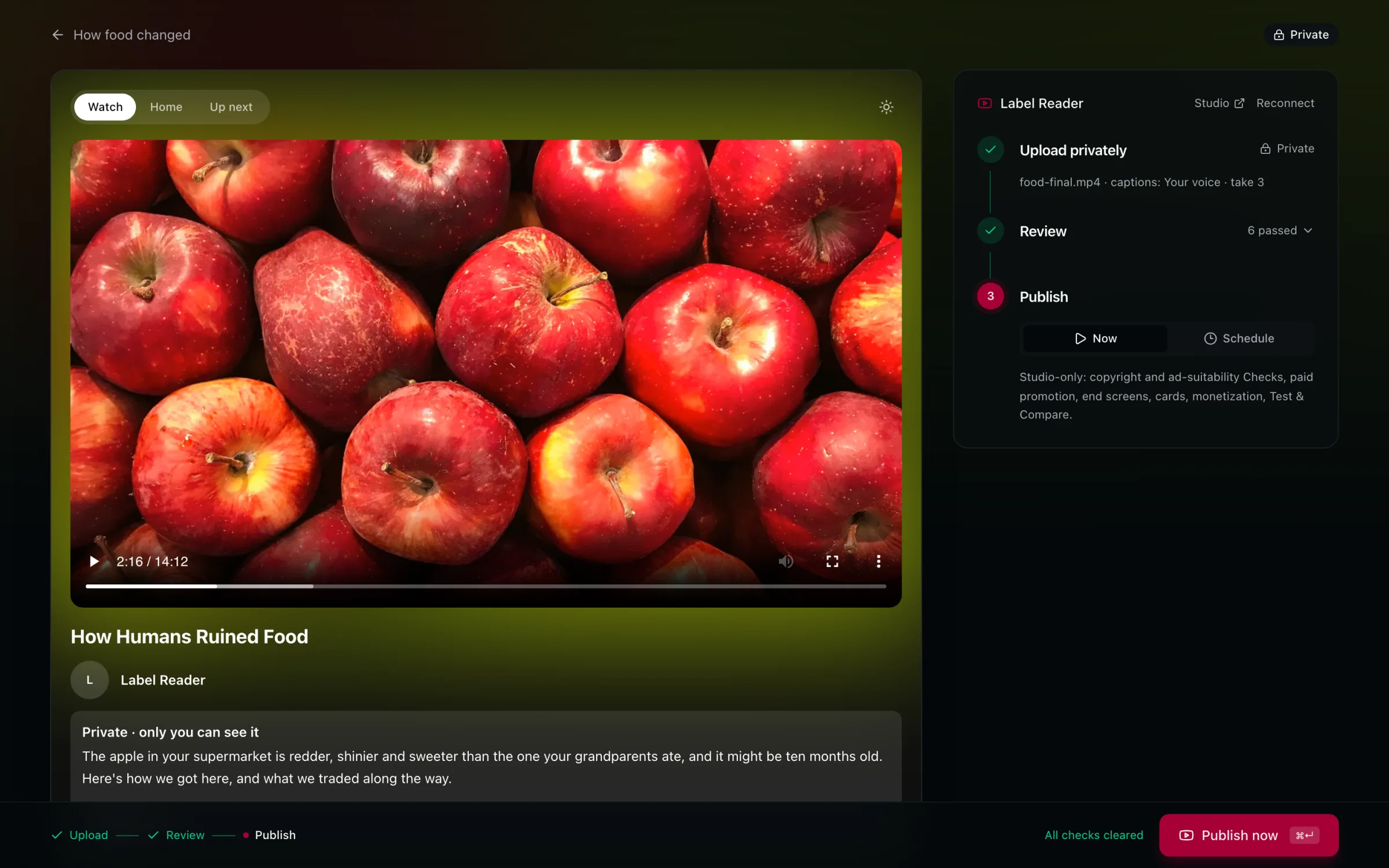
See it like a viewer. On the watch page, before it's public.
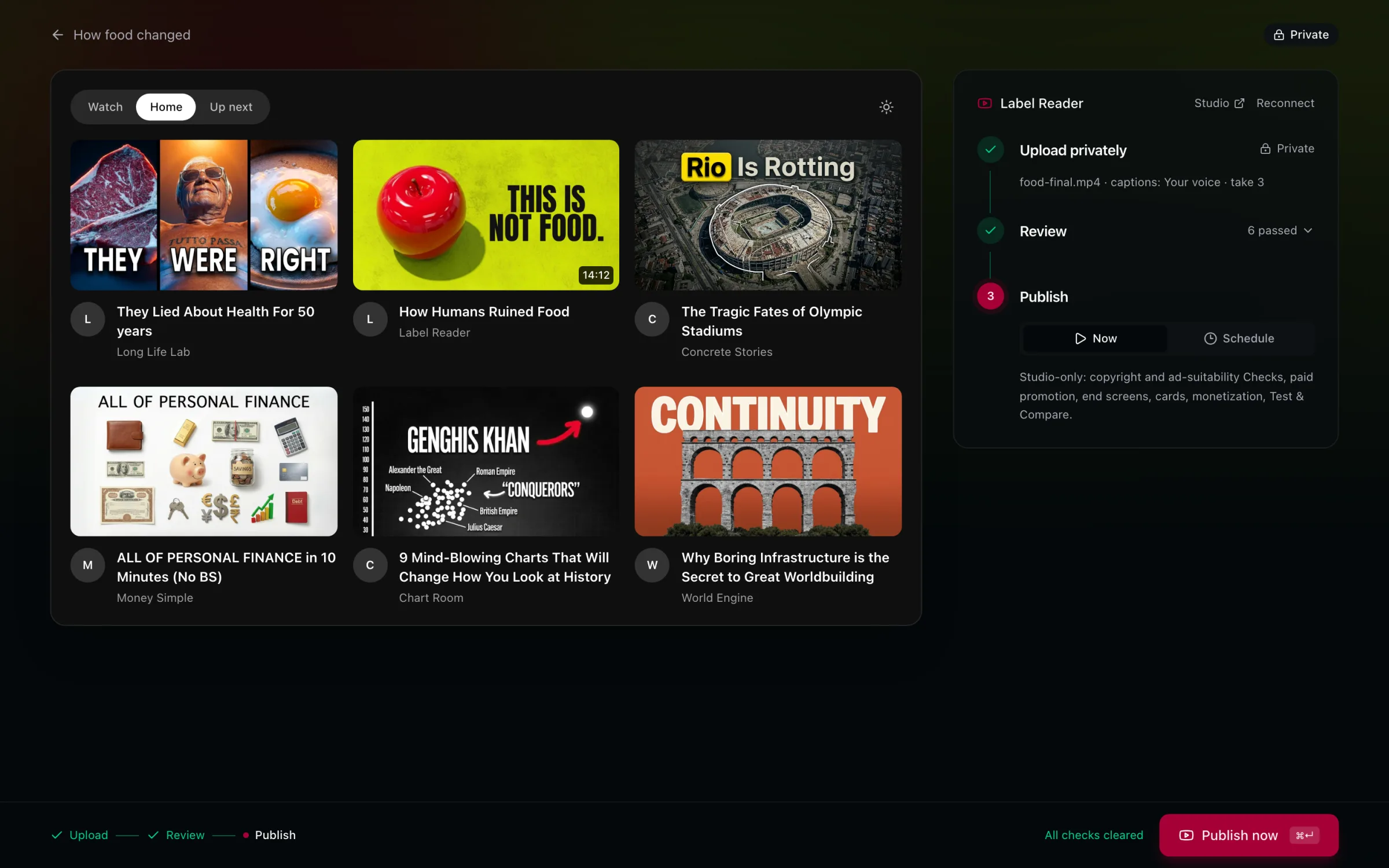
Next to what it competes with. Your card in a home feed.
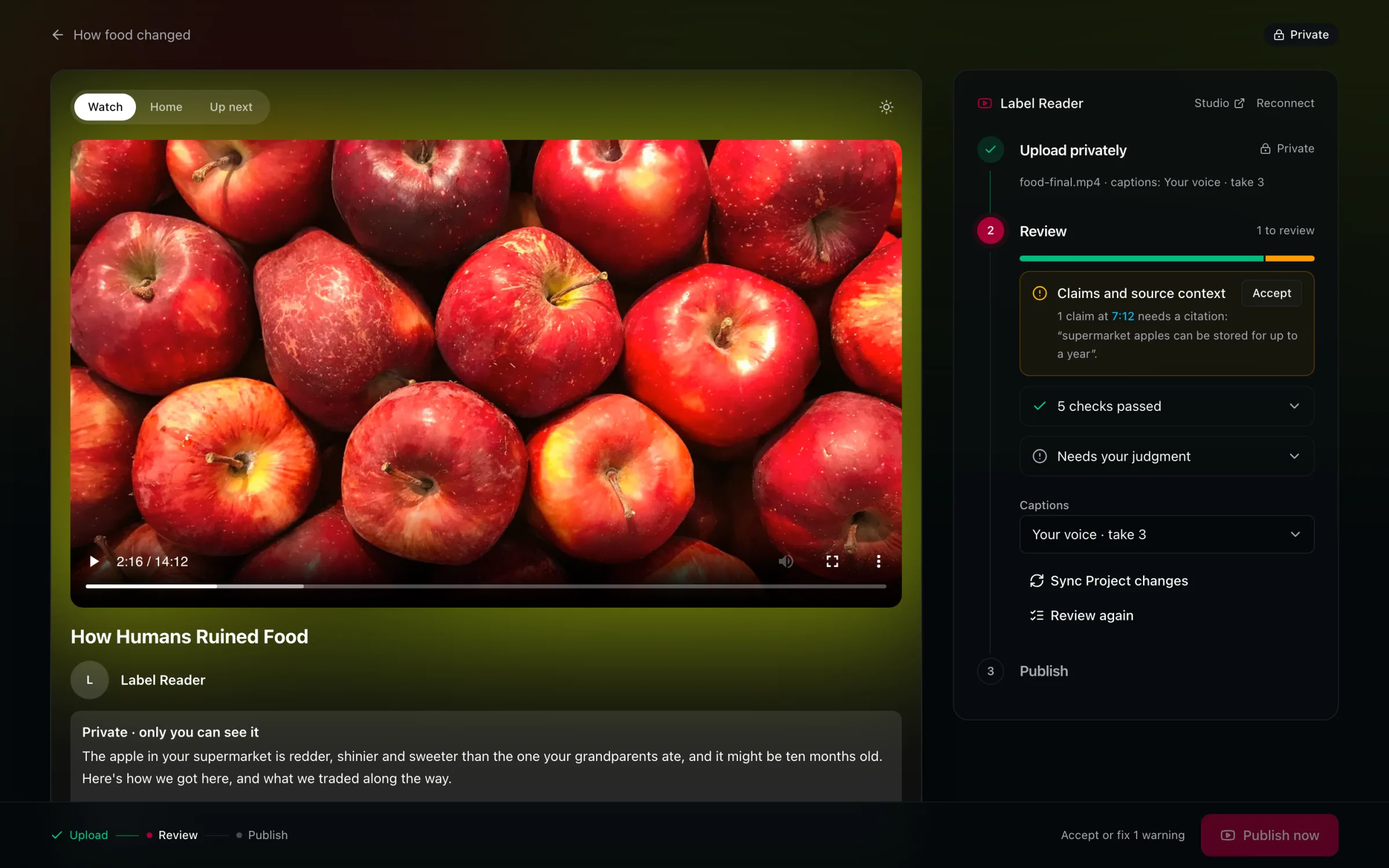
A last review. What needs a fix, and what needs your judgment.
It goes up private.
Your Cut, with captions from your own voice.
Then a last review.
A claim without a source is flagged at the second it's said.
Publishing is your click.
Now or on a schedule. Never on its own, not even from your AI client.
Then see how it does.
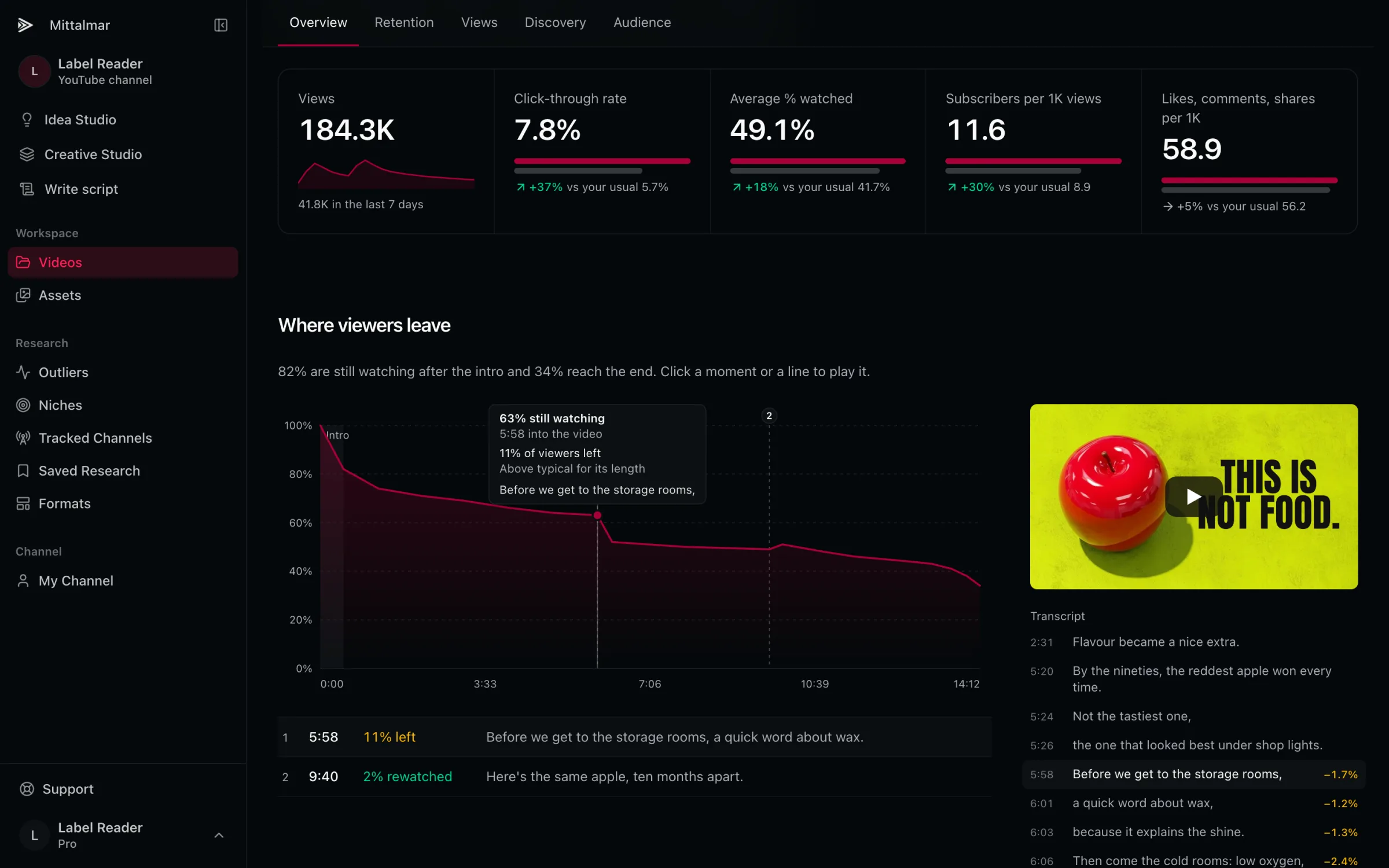
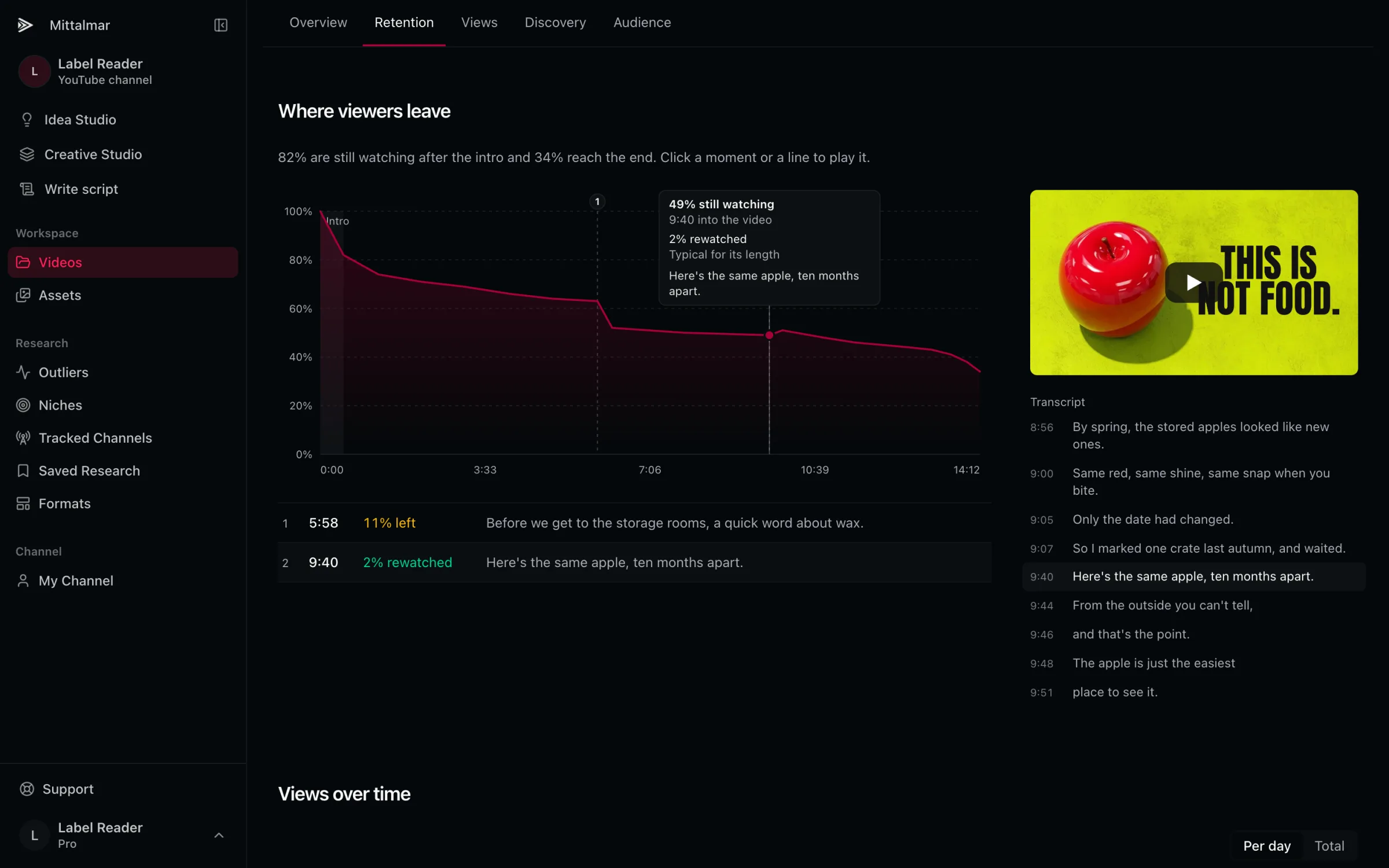
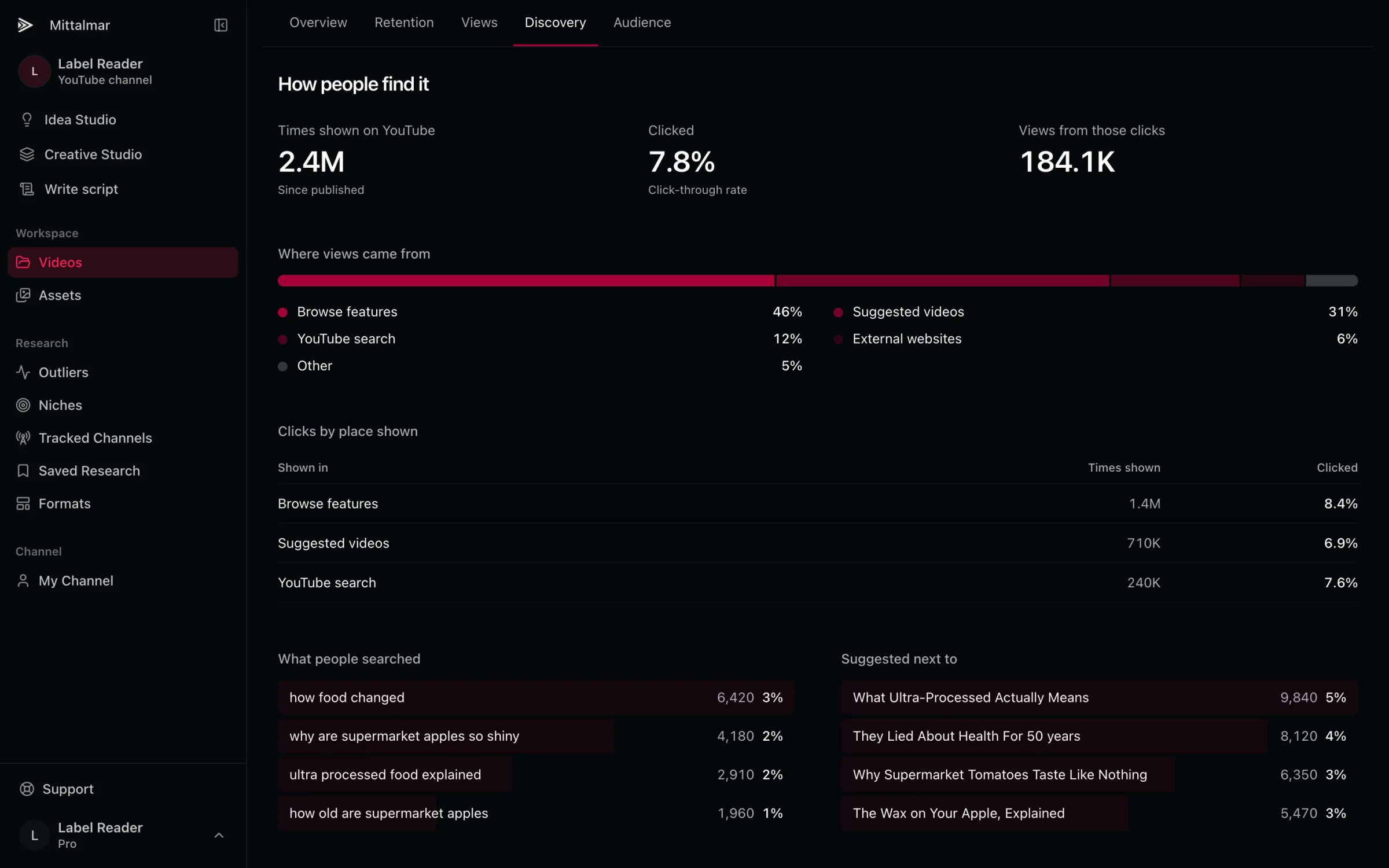
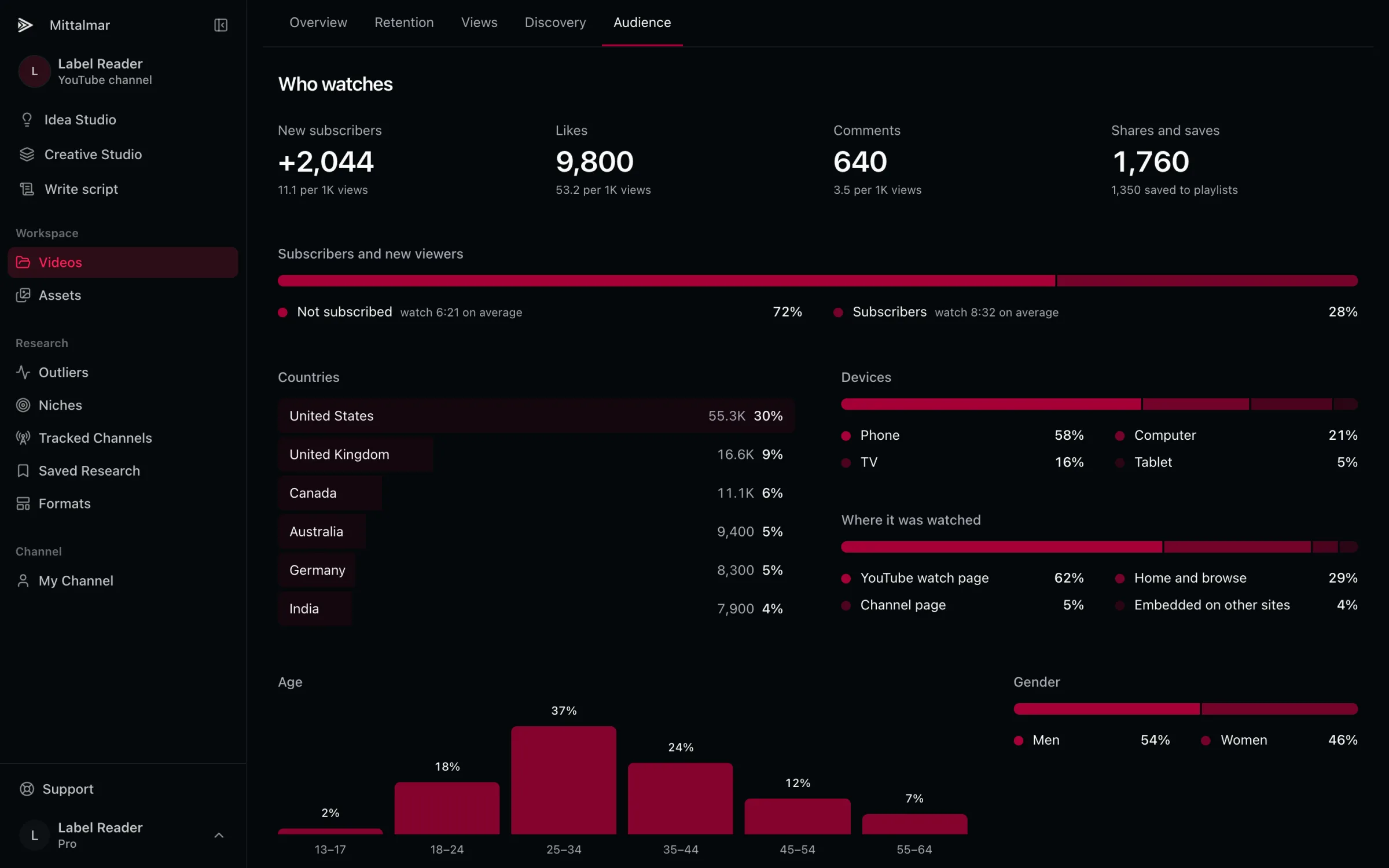
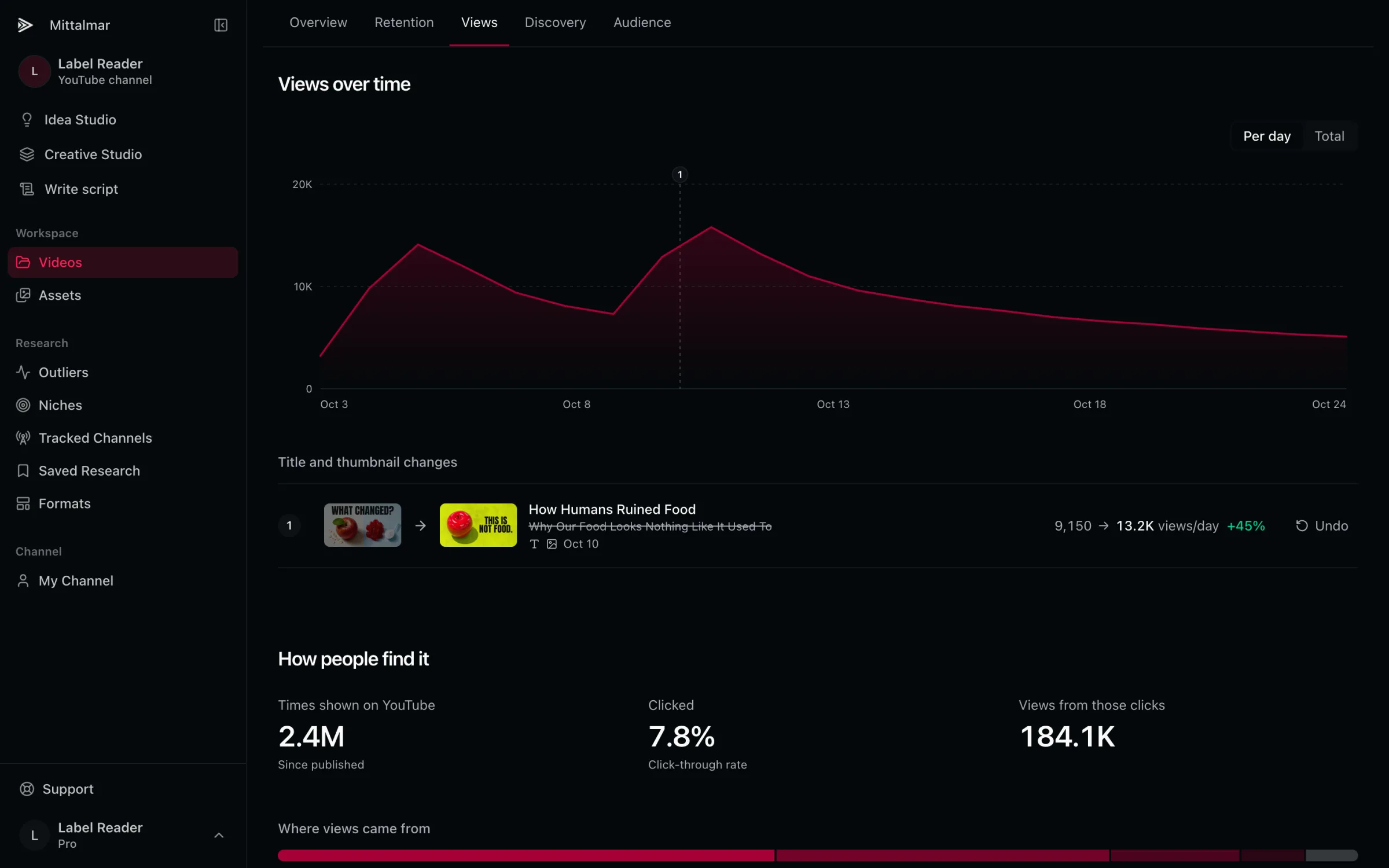
Against your usual.
Every number next to your channel's typical video.
Where viewers leave.
Click a moment to play it.
And what you said there.
The transcript, line by line, next to the curve.
How people find it.
Where views came from, and what people searched.
Who watches.
Subscribers, countries, devices and where it's watched.
Every package change.
Views a day before and after, with undo.
More in Publish.
Schedule. Pick the time. It stays private until then.
Sync Project changes. Fix the title or description after uploading.
Captions from your voice. Uploaded with the video.
Review again. After any change, before you publish.
Your channel's numbers. Each video against your own usual.
From your AI client. It uploads privately. Publishing stays your click.
Or just ask.
Mittalmar in your AI clientUpload the Hook cut privately and run the pre-publish review.
Ready to upload Hook privately to Label Reader, with captions from your narration. Go ahead?
Go ahead.
- Upload Project privately to YouTube
- Run pre-publish review
- Read pre-publish review
It's up as a private video. The review flags one claim that needs a source. Publishing stays with you.
Where did viewers leave my last upload, and what was I saying at that moment?
- Read one upload's performance
- Compare your uploads
The biggest drop is at 5:58: 11% left during “Before we get to the storage rooms, a quick word about wax.” That's more than usual for a video this long.