
Edit to the words, not the seconds.
Re-record a line and every cut moves with its word.
 Mittalmar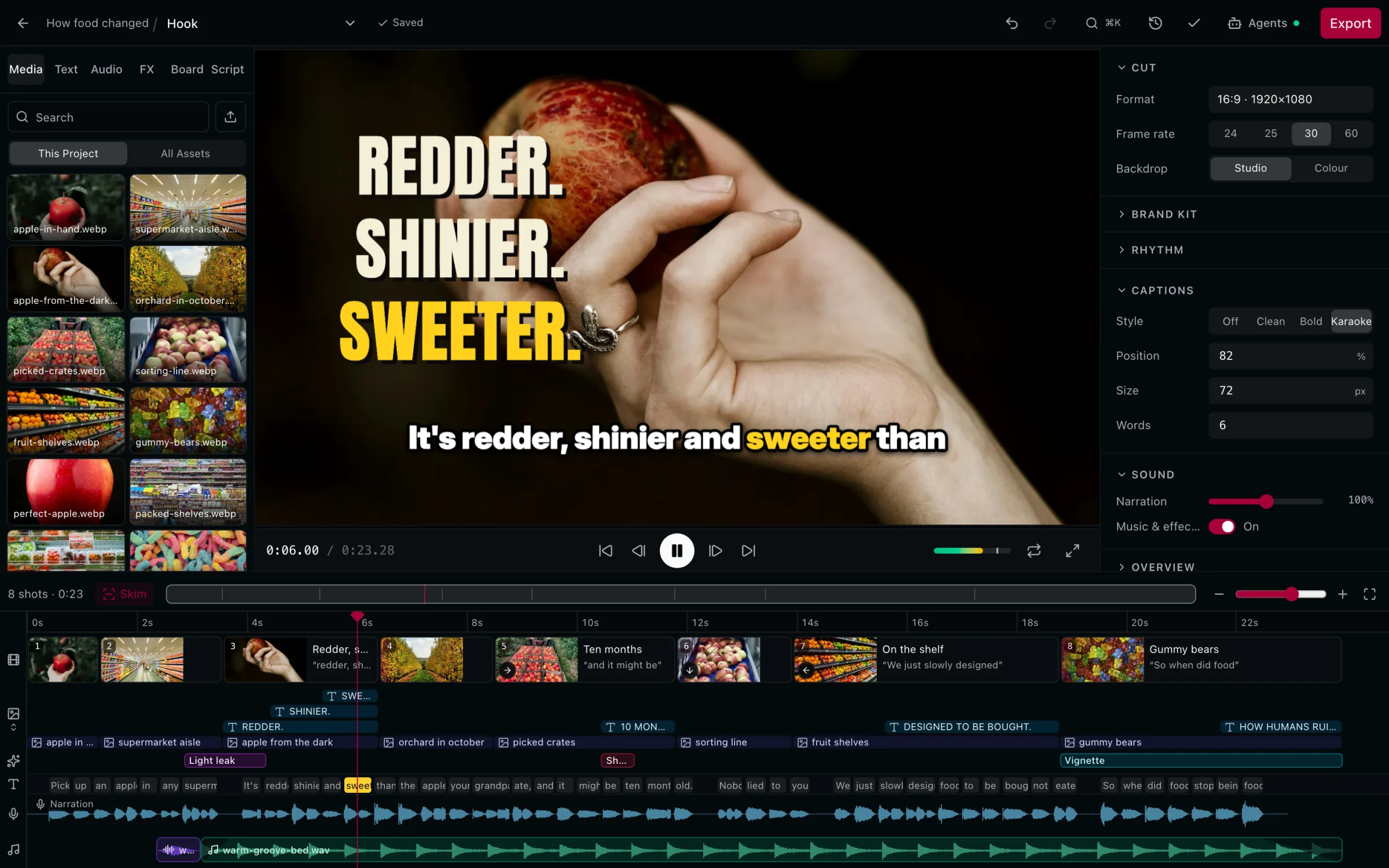
Shots on the words. Images, clips, text and captions, timed to what you say.
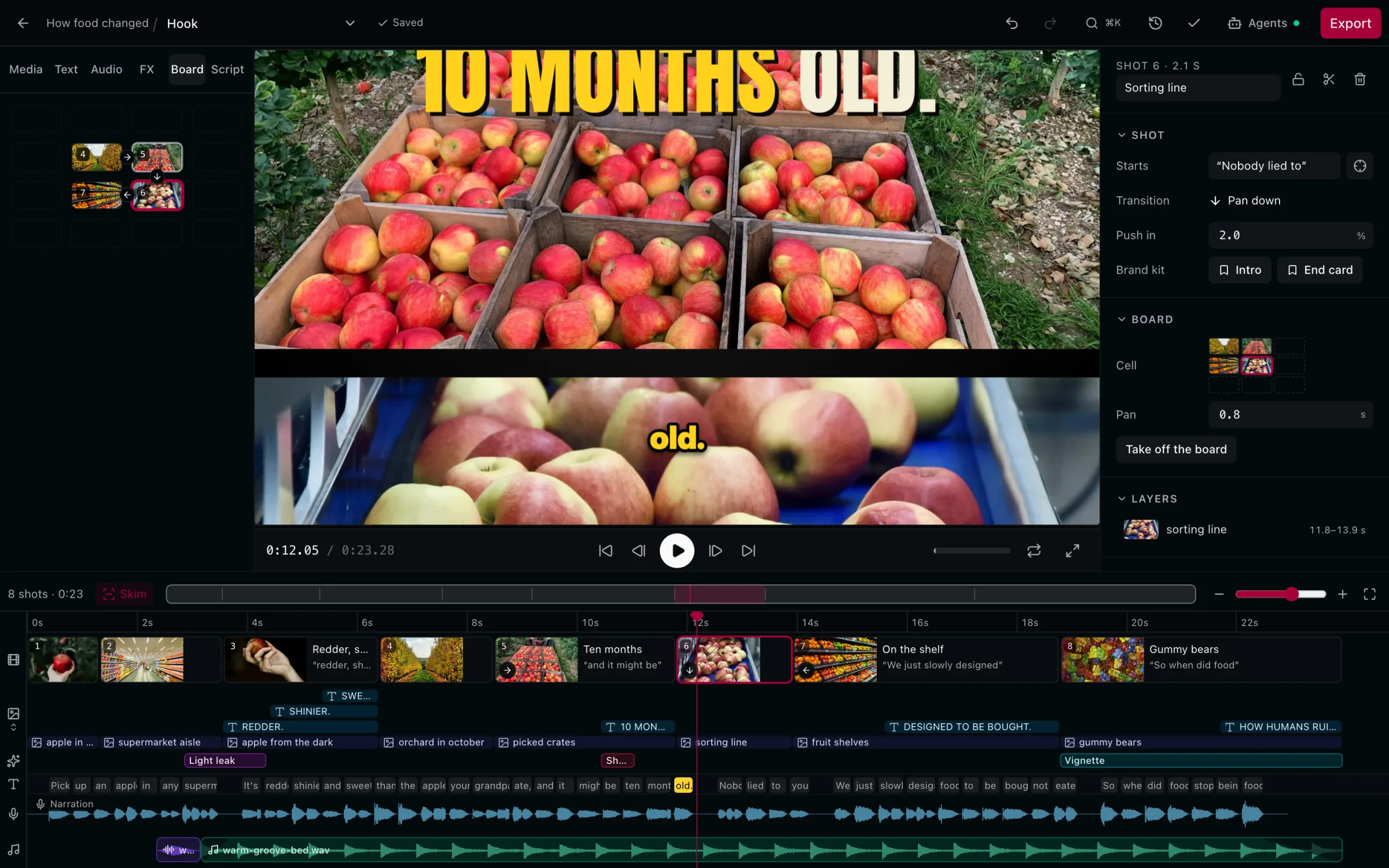
Pan across a Board. Instead of cutting from shot to shot.
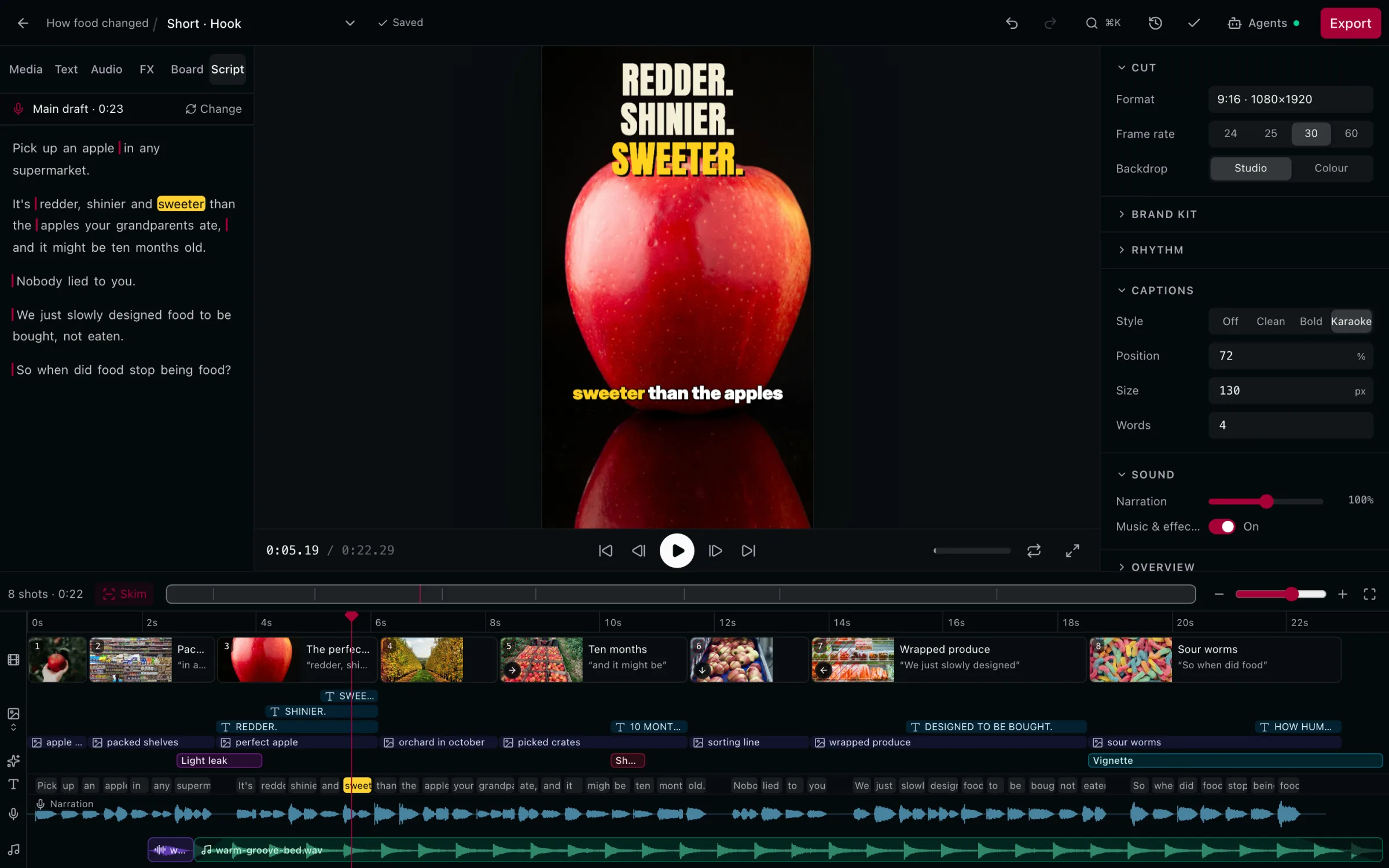
The Short comes from the same Cut. Reframed to 9:16 and captioned.
The narration is the timeline.
Words first.
Your narration, word by word, over its waveform.
Shots start on words.
Not on timestamps. Re-record and they follow.
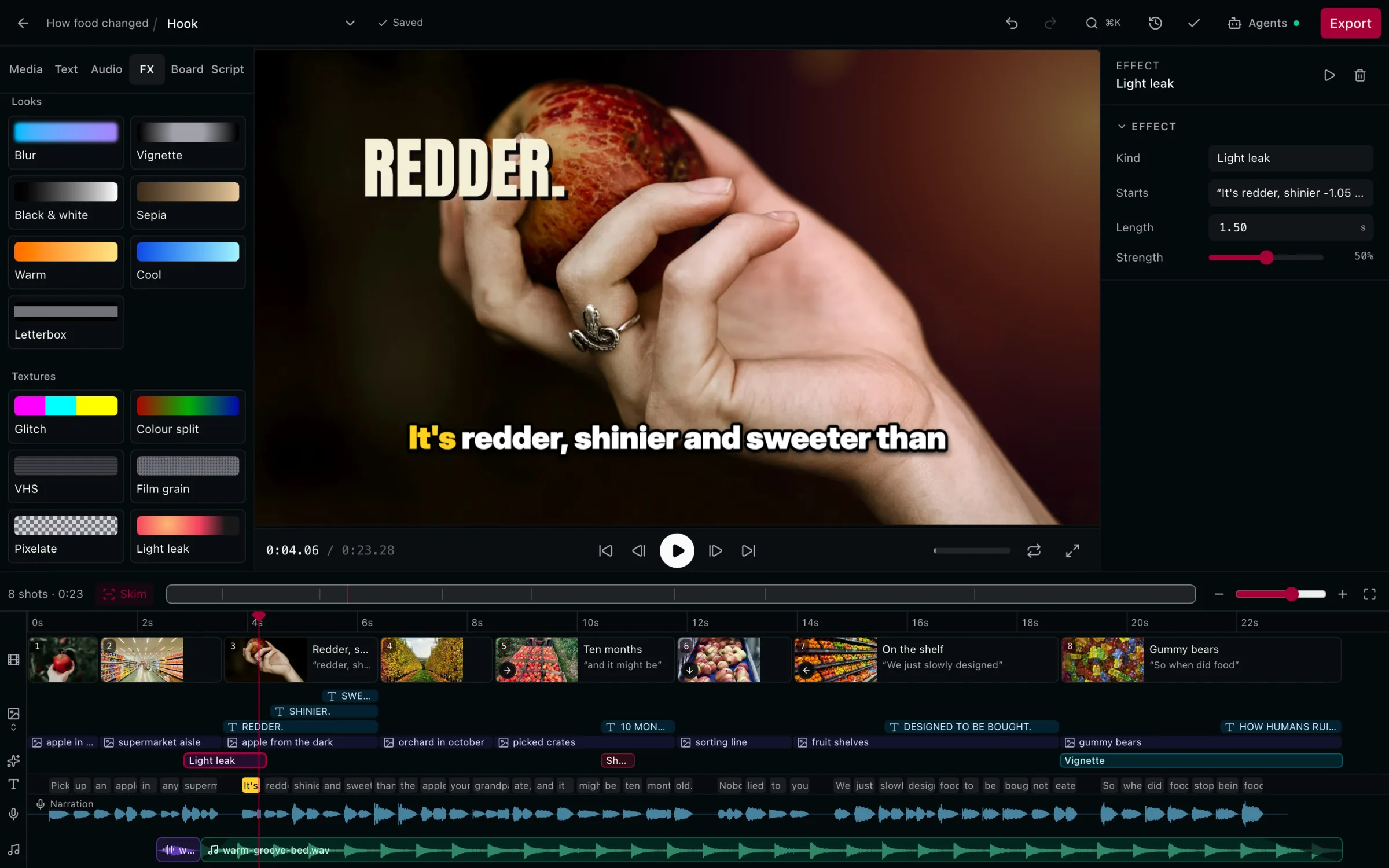
Text, b-roll and effects.
Light leaks, shakes and vignettes on their own tracks.
Captions from your narration.
Clean, bold or karaoke.
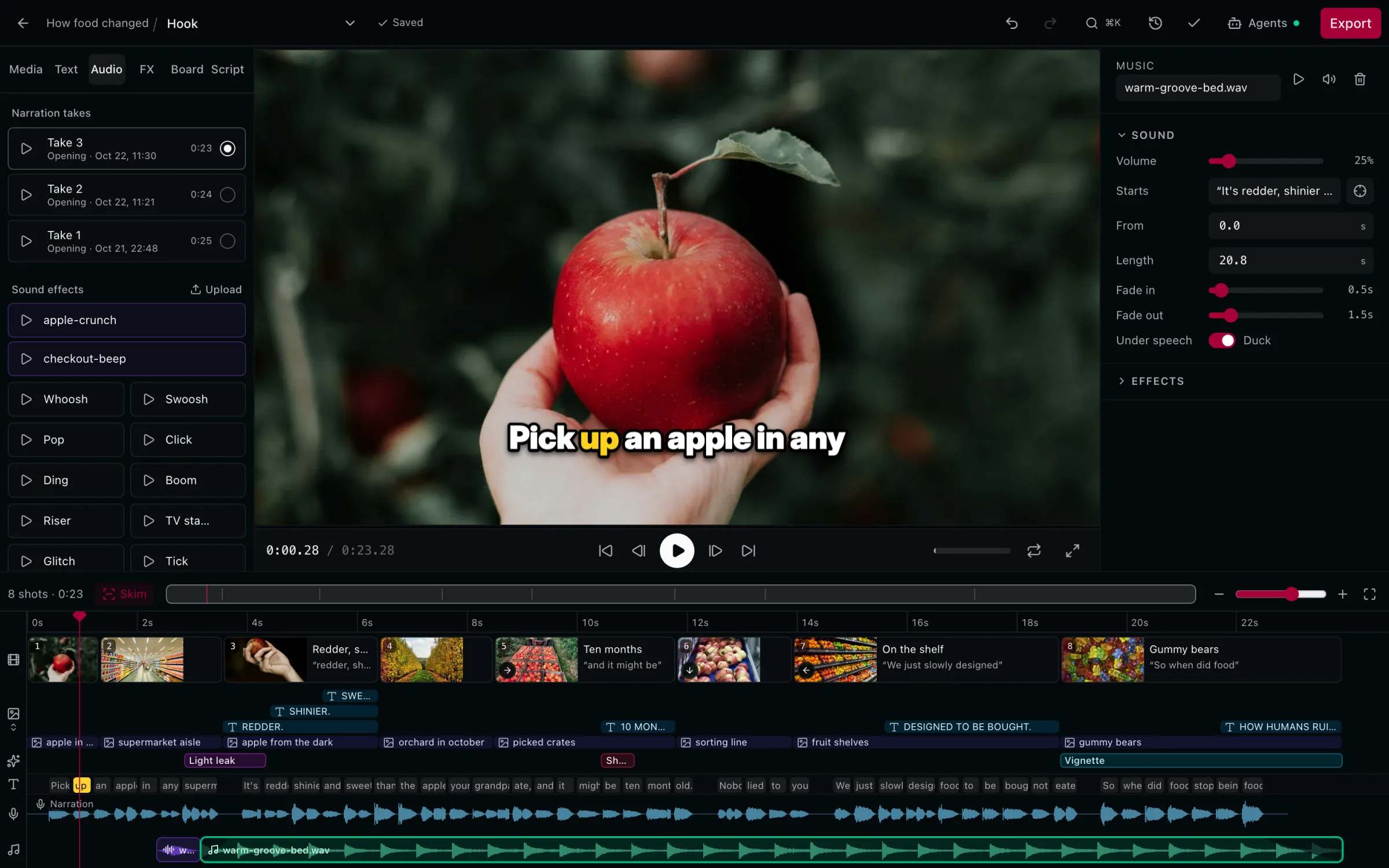
Music under the voice.
It ducks while you speak.
One inspector.
Format, frame rate, Brand Kit, captions and sound.
One Cut. Two formats.
Export, ready for YouTube.
- 720p
- 1080p
- 1440p
- 4K
Up to 4K. Normalised to -14 LUFS, the loudness YouTube plays at.
- 24fps
- 25fps
- 30fps
- 60fps
24 to 60 fps. Set per Cut. The export keeps it.
- Off
- Clean
- Bold
- Karaoke
Captions, built in. From your narration, or as an .srt.
Everything a talking-head edit needs.
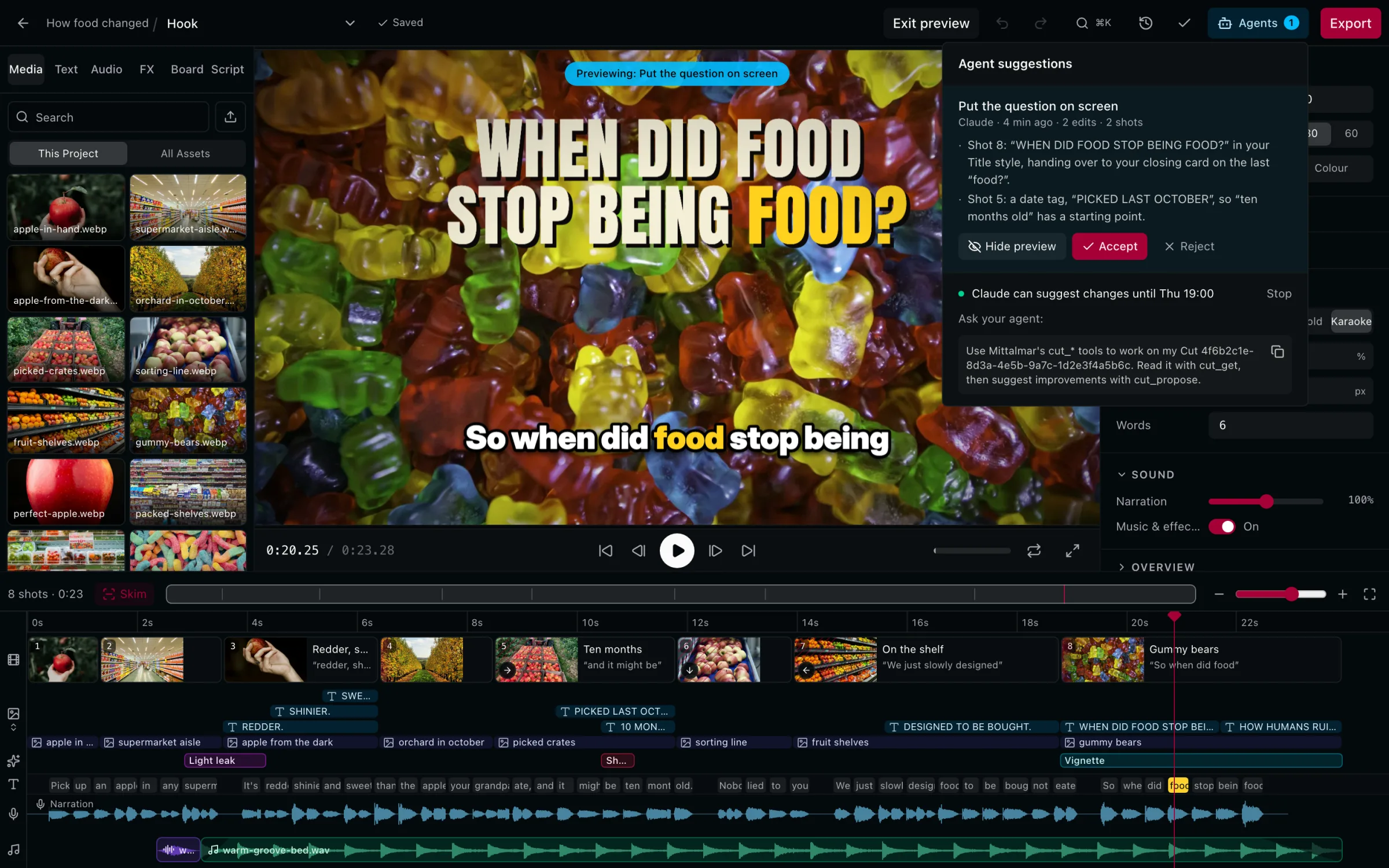
Your AI client proposes. You preview, then accept or reject.
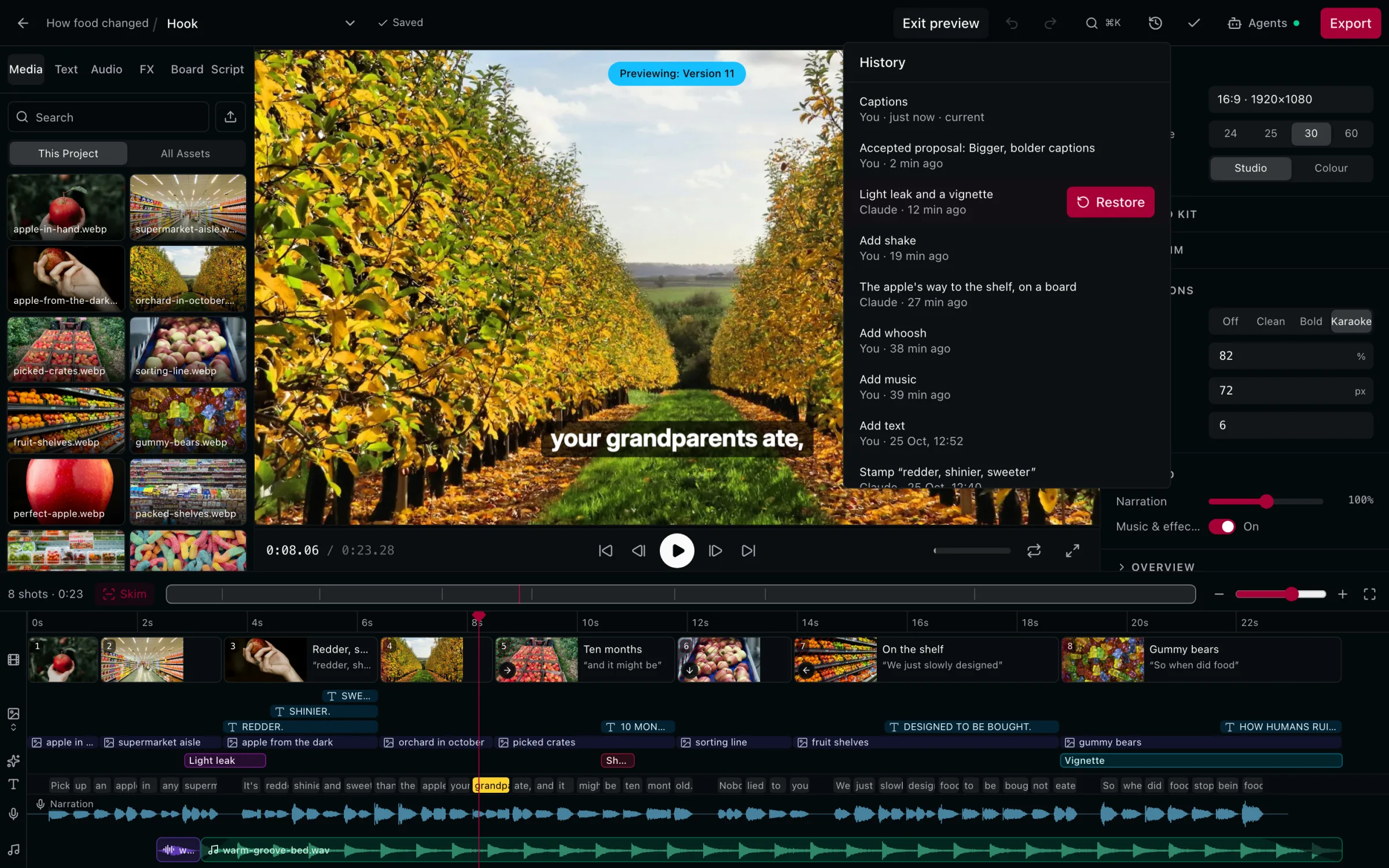
History
Every version, yours or your client's. Restore any of them.
Effects
Looks and textures, timed to a word.
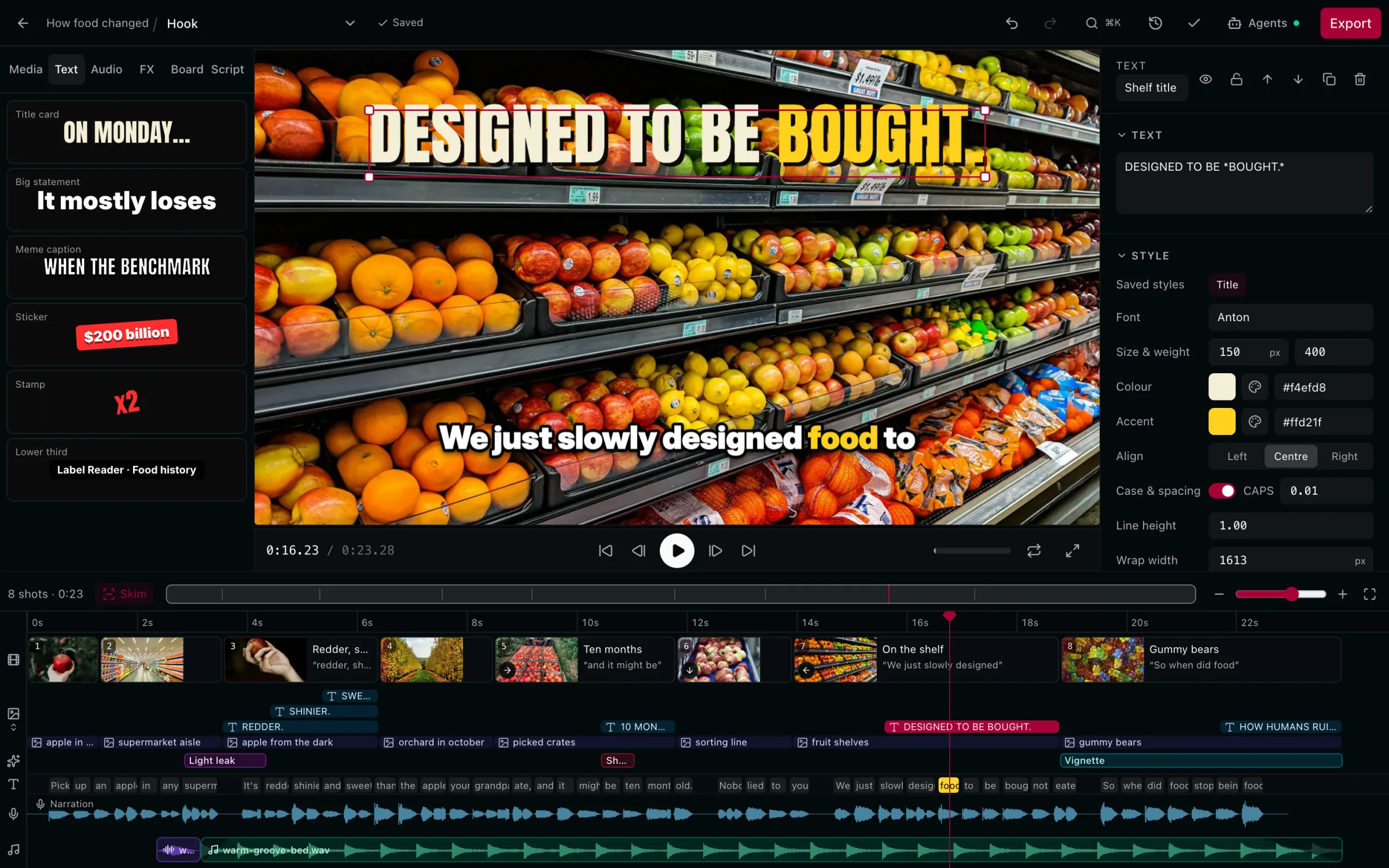
Text
Title cards, statements, stickers and lower thirds.
Sound
Takes, sound effects and music that ducks under speech.
Brand Kit
Saved text styles, fonts and colours.
Boards
Lay shots out on a canvas. The camera pans between them.
Or just ask.
Mittalmar in your AI client›Build a rough cut on the narration from the Project's clips, then export it in 1080p.
- CallingCalled mittalmar.cut_create({…})
- CallingCalled mittalmar.cut_start_editing({…})
- CallingCalled mittalmar.cut_patch({…})
8 shots on the narration's 46 words. Export the Hook in 1080p?
›Yes.
- CallingCalled mittalmar.cut_export({…})
The Hook cut has 8 shots on the narration's 46 words. The 1080p render is running and lands in the Project when it's done.
Look at my Hook cut and suggest what to change. Don't touch locked shots.
- Read a Cut
- Start editing a Cut
- Suggest Cut changes
One suggestion is waiting in the editor: put the question on screen. Preview it there, then accept or reject it.