Make the whole video from Claude, ChatGPT or Codex.
Connects over Model Context Protocol (MCP). Requires an eligible Mittalmar subscription. ChatGPT direct connections also require Developer mode.
 Mittalmar
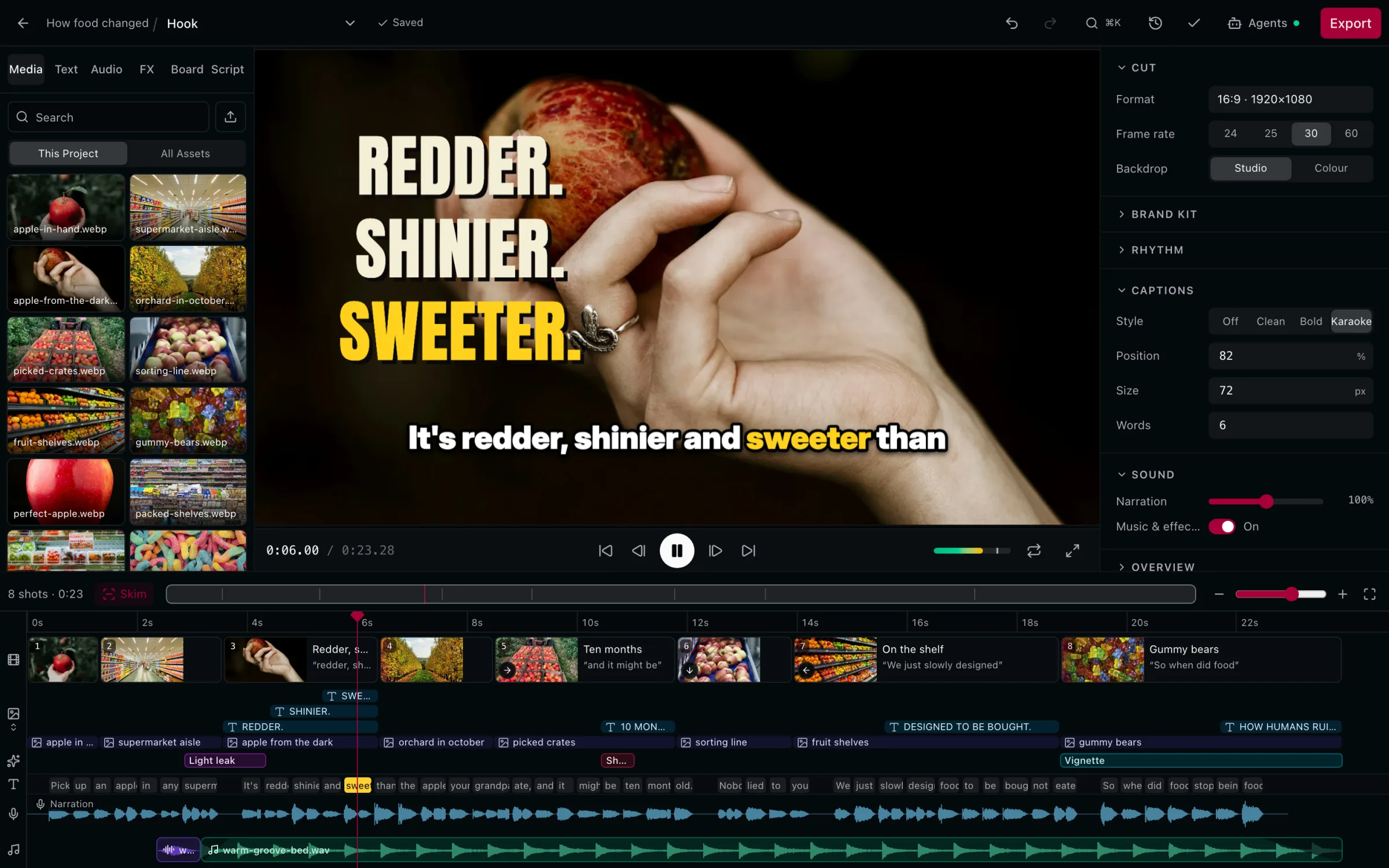
Research a video about how supermarket food changed. Then cut a first version from my narration and upload it privately so I can review it.
- Research a video topic
The strongest angle is one apple, the whole story. Sixteen sources support it; four cut against it. Next I'll build the first rough cut of Main cut in “How Humans Ruined Food” and upload it privately. Go ahead?
Go ahead.
- Edit a Cut
- Upload Project privately to YouTube
It's uploading as a private video. Open the review link when it finishes; publishing stays with you.
Ask in the conversation. It happens in your Project.
168 tools. Your client picks them.
Ask for the outcome.Not for the tool.
- Research
Compare my food history collections with my tracked competitors and propose angles for a video about how supermarket food changed.
- Script
Write the hook and outline with Mittalmar's stages, then narrate the opening in my voice.
- Thumbnail
Build a thumbnail from my template and show me three variants.
- Video
Build a rough cut on the narration from the Project's clips.
- Publish
Upload the Cut privately and run the pre-publish review.
- Results
Where did viewers leave my last upload, and what was I saying?
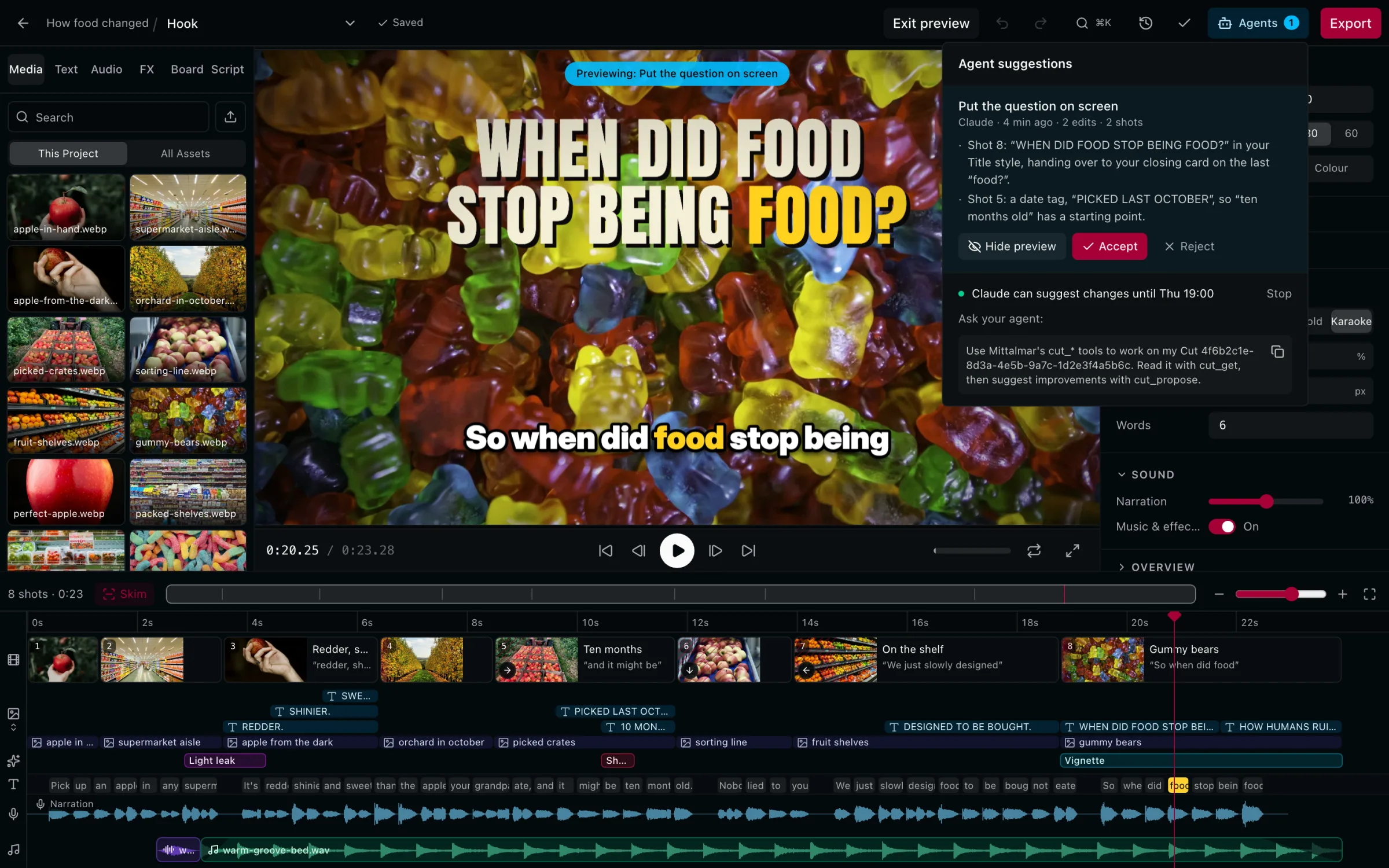
Edits wait for you.
Preview a change in the editor. Accept it, or don't.
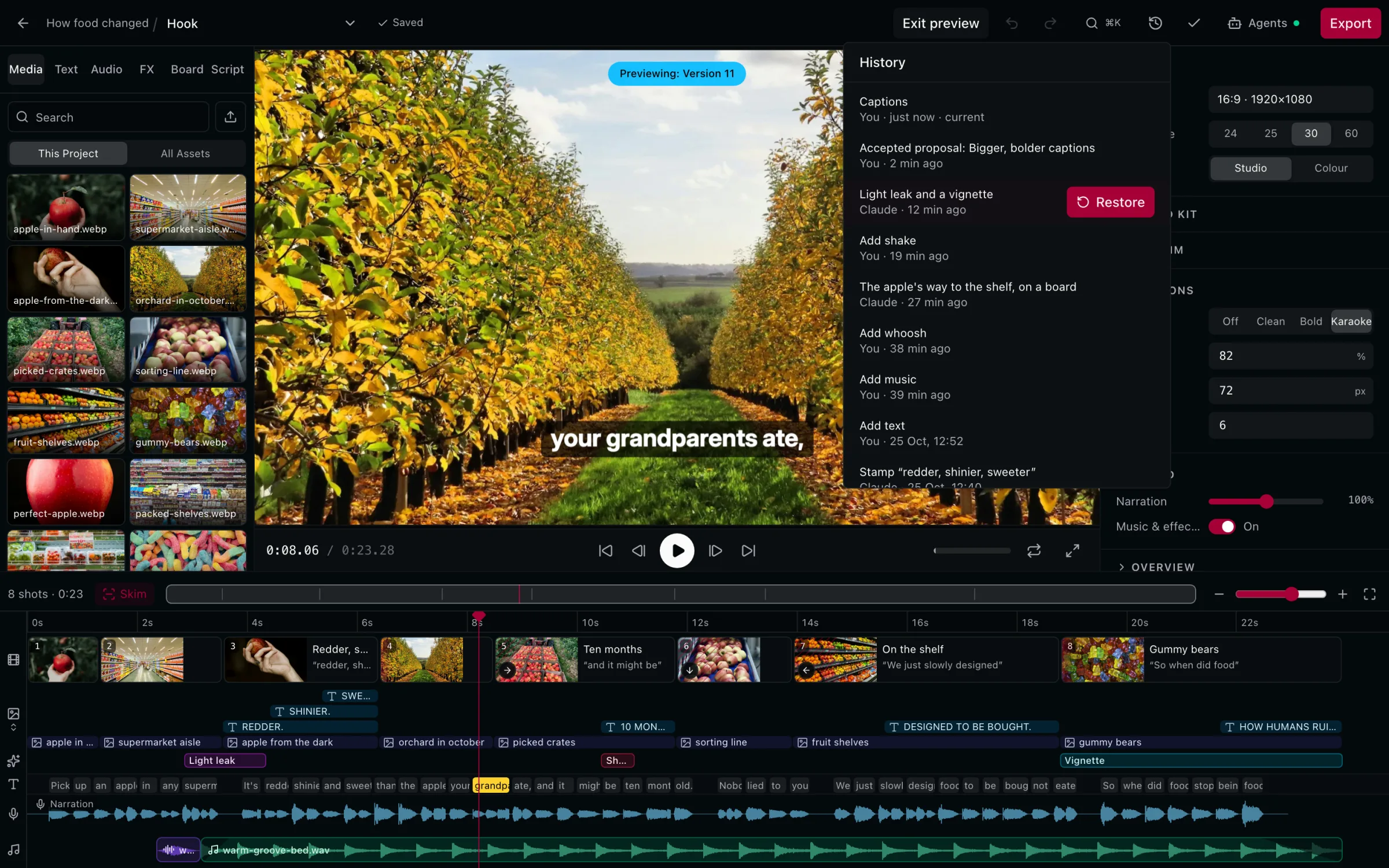
Every version, kept.
Yours and your client's. Restore any of them.
You decide what changes.
You approve what gets saved. Uploads, deletions and generation ask first.
You preview every proposal. Proposals wait in Mittalmar until you accept them.
Publishing stays with you. Uploads are private. Publishing is your click.
Your plan's AI budget. Check it, or estimate a run first.
Undo. Accepted changes are one step to reverse.
Security and access. How sign-in and permissions work.
Connected in three steps.No API key to copy.
- 01
Add the server
Paste https://mcp.mittalmar.com/mcp into your client's connector settings.
- 02
Sign in to Mittalmar
Approve access on a secure consent screen.
- 03
Ask
Start a new conversation and ask for the outcome.